Subscribe:

Labels

Showing posts with label applications. Show all posts

Sunday, September 25, 2011

Change Your Mac OS X Dock Color/Boot Image

Ever wanted to customize the look of your Mac's boot up image or dock color?  Then take a look at these applications called "Docker" and "BootXChanger".  Both of these are free to download.


Docker  
This application allows you to customize your dock without having to be


Friday, June 11, 2010

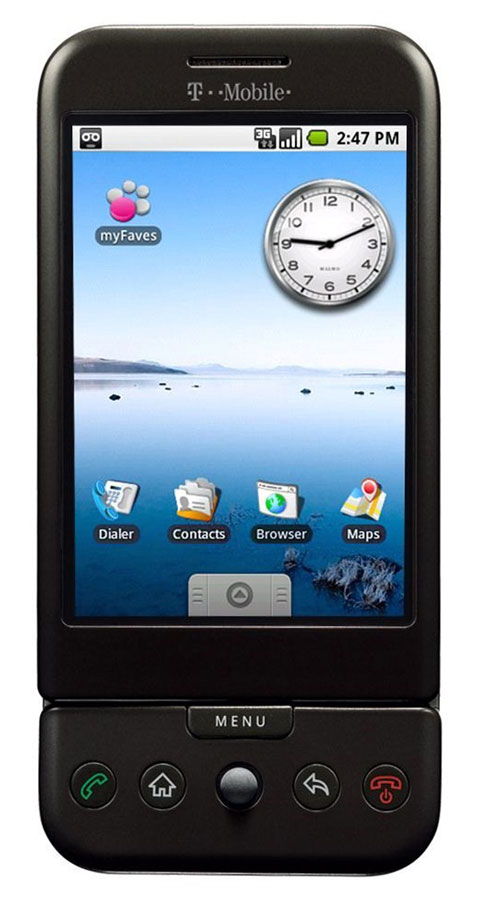
Rooting Your G1


          Hello everyone, I just recently bought my first android phone, which turns out to be the G1.  Sadly, it is seen as outdated (as said by the android team themselves); however hope is not lost because thanks to people over at cyanogen, you can bring new life into your "old" phone.  Rooting an android phone is nothing new that only highly skilled computer techs know how to do, and can be done fairly quickly but there is always confusion on how to start.  Here I


Wednesday, February 17, 2010

Mac Hints


          If you are a mac user this site is something you need to know about.  There are tips that are updated constantly throughout every day and some you may have already known, but others you will be surprised to learn.  One of the most useful tips that surprised me was the ability to use your Facebook chat with iChat.  All you have to do is setup a few quick things with the iChat server, and you are done. Each post


Thursday, January 14, 2010

Lala Music Streaming


          Lately I've been interested in finding ways to stream music to/from portable devices and computers, I recently found Lala.  Lala is an online music store that allows you to buy web songs/albums.  Web songs are only 10 cents to buy and you can listen to the song as many times online (not a download) and a web album is the same, but range from around 50 cents to $1.50.  What is even better is that buying a web song or album, deducts that cost from the full download.  So if you wanted to listen to a new song or album online for awhile before making a full purchase, you won't have to worry about paying twice for something you already have.  I have actually found that most individual songs are either 79 cents or 89 cents, with very few 99 cent songs.  Even albums are occasionally cheaper than other music stores like iTunes and Amazon.
          Now what does all of this have to do about streaming your music?  Well every song or album you buy is put in your online library.  You can go on any computer, sign into your account and start playing a song.  So simple and nice because of the easy access.  However, the fun doesn't end there because you are also able to upload your music library from your computer.  With the free Lala Music Mover application, you just effortlessly select your music folder and it does the rest of the work.  So you can have access to your entire music library from any computer with internet (and flash).
          Since it uses flash you can not use Lala with a mobile device (at least not yet), but with Lala's merger with Apple there may be hope for an iPhone app soon.  So tell me what you think of it.  I'm definitely going to be using this site often for my music purchases.  Thanks for reading and I hope this was useful to you.  If you do want to sign up, please use this link: Sign Up 


Tuesday, April 21, 2009

Is You Mac Sluggish?


Man, remember that day you first powered on your macintosh computer and started using safari. The pages would load faster than you could blink. But sadly as time went on, you filled your computer with more and more files. Those files took up space, and now anything you do on your computer seems to take an eternity. Well nothing can act like new forever, but there are ways to bring your computer to a reasonable speed. Small things like deleting unneeded files, keeping your software up to date, and remembering to close applications after you are done using them; can help speed up everything. Of course this is just a brief list. More ideas on how you can quicken up your computer, is from Christopher Lee's post. I've been making sure my desktop is clean and I have noticed that closing my applications really does help with my speed. Hope this post was helpful to some people and if you have any questions just leave a comment.


Thursday, March 26, 2009

Windows Applications Including Ipod Wizard FOR MAC!

For those of you that don't know what Ipod Wizard is, it is software used to edit the Ipods background, fonts and overall look.  As of now, I've only known that Ipod Wizard could be used on Windows computers, but TODAY IS A NEW DAY!  Now this method is FREE and very easy to use.  One problem (at least for me) is that you need an intel mac with Tiger or Leopard and X11.  
What's X11?  Well I'm not exactly sure myself, but it is used to run Windows applications.  Now, if you have Leopard, it should already be installed on your computer, but with Tiger it may not  (You can type X11 in spotlight to see if it shows up).  For those Tiger users that don't have it installed, you can download it from the Tiger installation CD, just put it in and go to optional installs and find X11.  If you lost or just never had a CD don't fret.  Luckily I found this website to download X11 for free (legally too).  On the site are instructions on how to install X11.
Next, you will need this FREE program called Darwine and download the link that says (Universal).  After Downloading unzip the file and drag the Darwine folder into your applications folder AND YOU'RE DONE!  Now you can use most if not all windows .exe files (as far as I know).  Next time you download a windows .exe file the Darwine icon should be next to it showing that it will work.  As for Ipod Wizard, just download the file and open it like usual.  I think that this is a Significant alternative to buying VMware or Parallels if you just want to use a few windows applications.  Any questions? Comments? BRING THEM OUT and I'll try to answer them.